Do I need an Apple Watch or other equipment?
No. Camera battles only need the front camera of an iPhone or iPad running iOS 18.0 or later. If an Apple Watch or another device writes sleep and heart data to Apple Health, Data2Dao can read it to calculate your Qi; without that data, those metrics are missing or replaced by a simple baseline.
Which moves can it recognize?
Recognition runs on the phone with Apple's Vision framework, tracking joints such as shoulders, elbows, hips and knees. Squats, side stretches, standing jump claps, high knees, push-ups, shoulder circles, heel raises and single-leg balance are all counted. Most moves need your shoulders, hips and knees in view, push-ups are done side-on, and you'll want good light with no bright window behind you.
How far away should my phone be?
The app doesn't ask for an exact distance—it goes by what the camera sees. Stand the phone upright so the front camera captures your whole body, or at least everything above the knees; for push-ups, turn side-on. Most people fit in the frame at about 1.5–2.5 m (5–8 ft). Too close and you'll see “Step back a little”; too far and you'll see “Step a little closer”.
How are Qi and Inner Demon calculated?
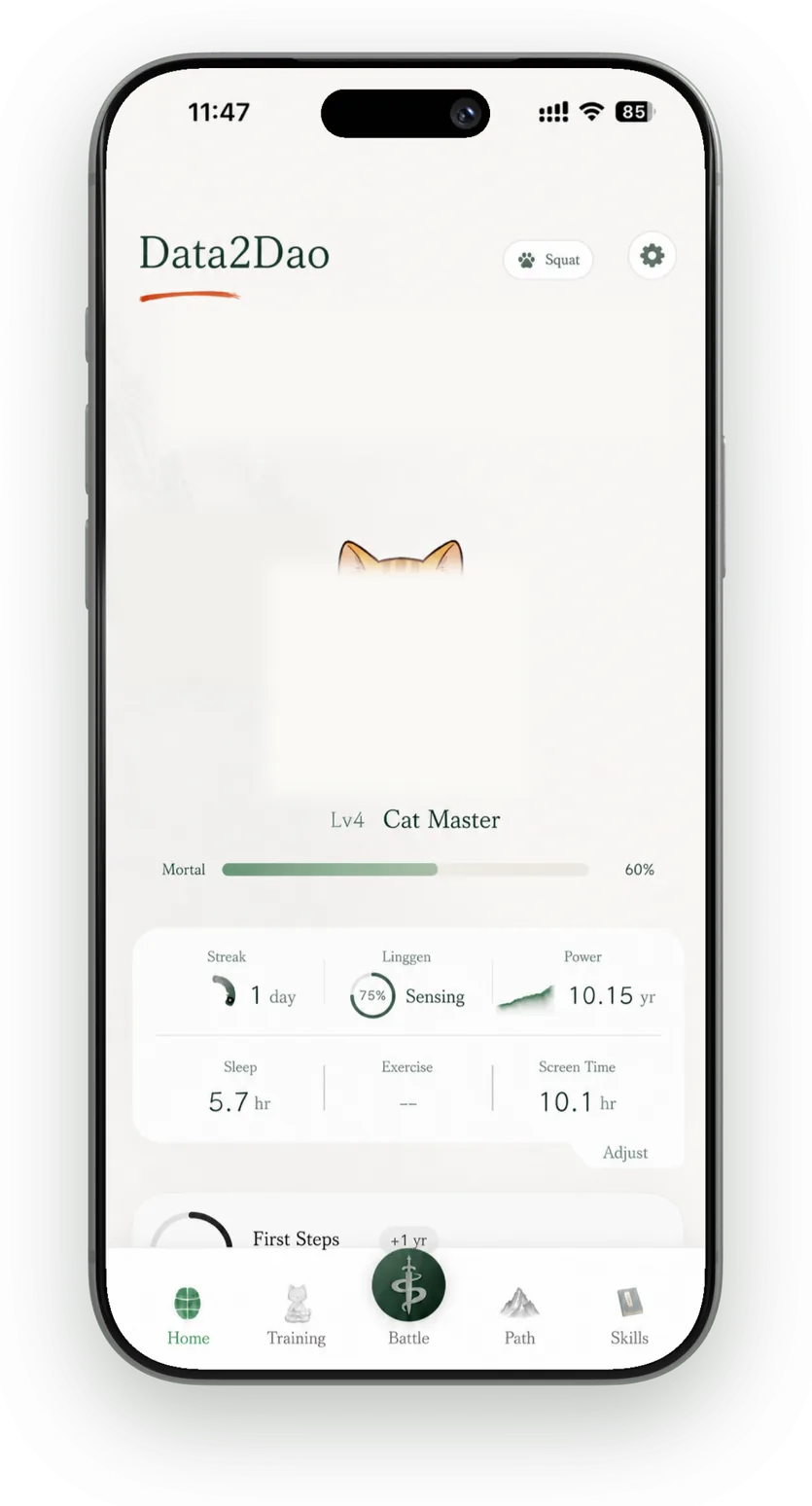
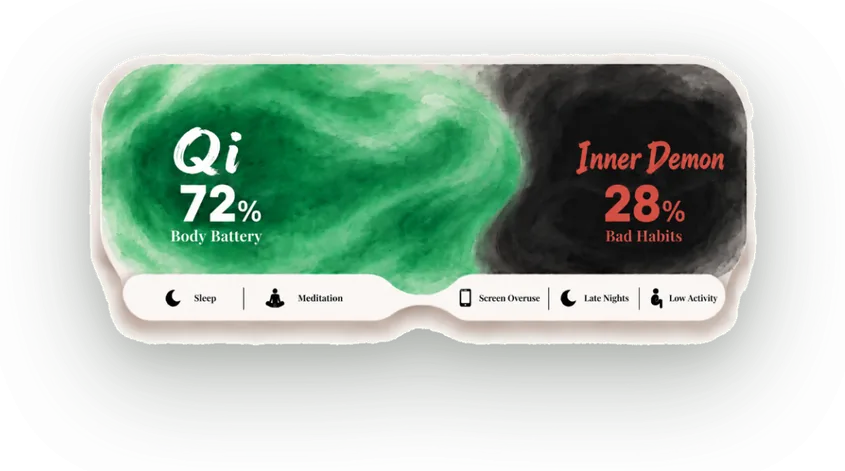
With Apple Health access, Data2Dao reads sleep and deep sleep, resting heart rate and HRV—compared with your own baseline—plus activity, training and meditation time to work out today's Qi. With Screen Time access, late-night scrolling builds up your Inner Demon. In the morning you can mark anything that hurts on a body map; higher joint-load moves that work that area are held back until it eases. Mood check-ins only change how advice is worded; they never lower your scores.
Can I use it without Apple Health?
Yes. Without access, the app plans your practice from your onboarding answers and a simple baseline. Camera battles, meditation and follow-along routines use the camera, not health data—only the sleep and heart-rate parts of Qi can't be calculated. You can change access any time in Settings or the Health app.
Does the camera upload video?
No. Frames used for pose, eye and camera heart-rate detection are processed on the phone and are never saved or uploaded. The only video the app keeps is from Record Battle Highlights: you're asked at your first battle whether to turn it on, and if you do, a roughly 7-second clip is created on the device after a win, kept for 7 days by default and saved to Photos only if you choose. See the Privacy Policy for other features such as voice notes.
What's free, what needs a subscription, and how much is it?
Downloading is free, and the introduction—including a camera trial—is free. Full practice requires a subscription: $4.99 a month or $39.99 a year in the US, with a 3-day free trial on monthly or a 7-day free trial on annual (once per Apple Account). Other regions: China mainland CN¥38 / CN¥98 · Japan ¥800 / ¥6,000 · Hong Kong SAR China HK$38 / HK$288 · Taiwan NT$150 / NT$1,290 (month / year); the in-app purchase screen is authoritative. Annual works out to about $3.33 a month; the average U.S. gym is $45.19. Across 94 countries and regions, the annual plan's monthly cost is a median 9.3% of the local gym fee—see the Pricing page. Subscriptions renew automatically and can be canceled any time in your Apple Account settings; refunds are handled by Apple at reportaproblem.apple.com.
How is it different from Ring Fit Adventure?
Ring Fit Adventure needs a Nintendo Switch and accessories such as the Ring-Con, is played in front of a TV and offers a much bigger game. Data2Dao only uses the front camera of an iPhone or iPad, needs nothing to buy, runs 3–8 minutes a stage and uses sleep and heart data from Apple Health to plan what to do today and when to rest. If you have a console and want long play sessions, pick the former; if you have a phone, a few minutes and a small open spot, pick the latter. For a full comparison of four ways to work out at home, see “Working out at home with an iPhone: how to choose”.
What if I'm not feeling up to it?
Rest. Every 7-day chapter includes two leave days that cost no Qi, or you can do a short meditation and count the day's stage as a meditation clear. Stop immediately if you feel pain, dizziness or chest tightness, and contact a medical professional if discomfort is severe, persistent or recurring. Data2Dao supports everyday exercise habits and does not provide medical diagnosis or treatment.
Can I start as a beginner?
Yes. Each stage can be 3, 5 or 8 minutes at Light, Standard or High difficulty. If there's a move you can't do, hold an OK sign to the camera for 1.2 seconds to skip it. Leave enough space to move safely and go at your own pace.
What else is there besides battles?
Meditation runs 1–5 minutes with guided 4-7-8 breathing (in for 4, hold for 7, out for 8); turn on the camera to detect closed eyes for a bonus, and the session is saved to Apple Health as mindful minutes. The Skills tab holds follow-along routines—Longevity Arts, Body Tempering, Wall Angel, Baduanjin and Broadcast Exercise 8—and the later ones unlock as your Dao grows. In “Choose practice” you can pick moves by body part or routine and set the time per set and rest between sets; finish a full day's worth and today's stage counts as cleared. Moves have to be learned in Skills first. Workouts, meditation, moods, check-in photos and runs or rides from Apple Health all gather on your Path timeline.
Which devices and languages are supported?
iPhone and iPad running iOS or iPadOS 18.0 or later, in portrait orientation. The app is available in English, Simplified Chinese, Traditional Chinese and Japanese.