
Developer interview · Part 8 of 12Sticking with it
Can't stick to a workout plan? Leave days and adaptive plans in Data2Dao
Data2Dao does not set a plan that stays fixed for months. Each morning it schedules today's stage based on your state, you can take leave when you are busy or tired, and running and cycling outside also count toward your progress. This post explains the leave rules, how outside exercise is counted, what the weekly plan is based on, and what is still in development.

Short answer
Data2Dao does not set a rigid plan that stays fixed for months. Each morning it schedules today's stage based on your state: less if you slept little, more if you have recovered well. When you are busy or tired you can take leave, 2 days in every 7. Running and cycling you do outside count toward that day's progress. The week's schedule is adjusted on your device, based on your own records, by a Training Plan engine that keeps being iterated.
Key points
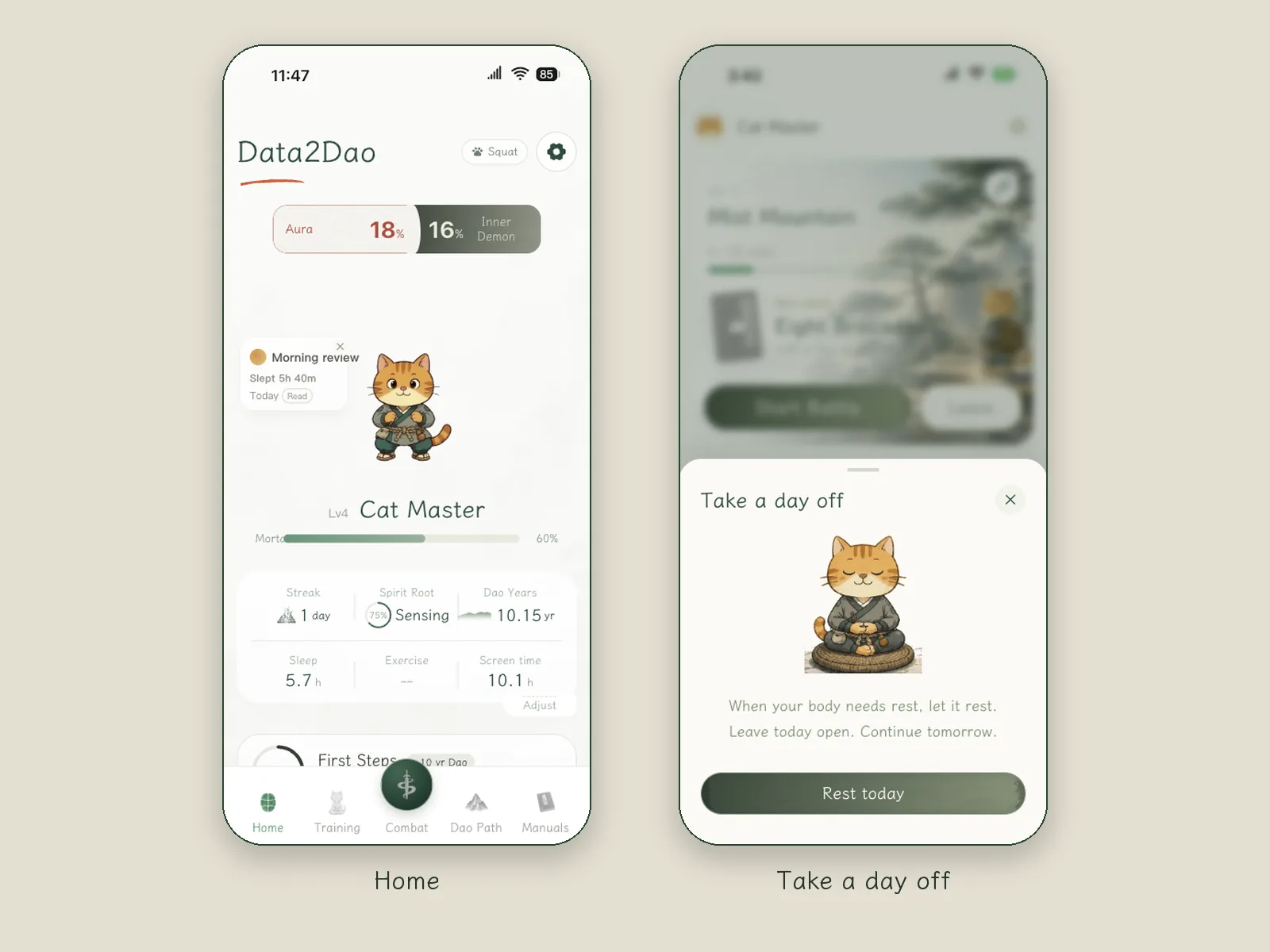
- Leave: every 7 days is one chapter, and you can take 2 leave days. In the Morning review you can choose: Rest and take leave, Lighter exercise, or Keep the current plan.
- Periods: you can log your period in the app. According to the developer, on those days it does not schedule high-intensity moves for you, especially running and jumping.
- Outside exercise: workouts from Apple Health count toward that day's chapter progress. The wording in the interface is "You've moved enough today — rest is fine" and "Counted toward your chapter from Health. Fight it yourself anytime to earn gold stars."
- Avoiding body parts: you can manually set a body part to be skipped for this stage or long term.
- Training Plan engine: you can open it from the top right corner of the Battle tab and see how this version arranges things. It uses the app's own rules and algorithms and runs on your device.
- Still in development: a comeback gift pack and automatic downgrade for people who return after a long time away; adjustments to the check-in rules.
Where rigid plans go wrong
Why didn't you stick with the workout apps and training plans you used before?
I have used a great many workout apps and all kinds of watches and bands, and many of them come with training plans.
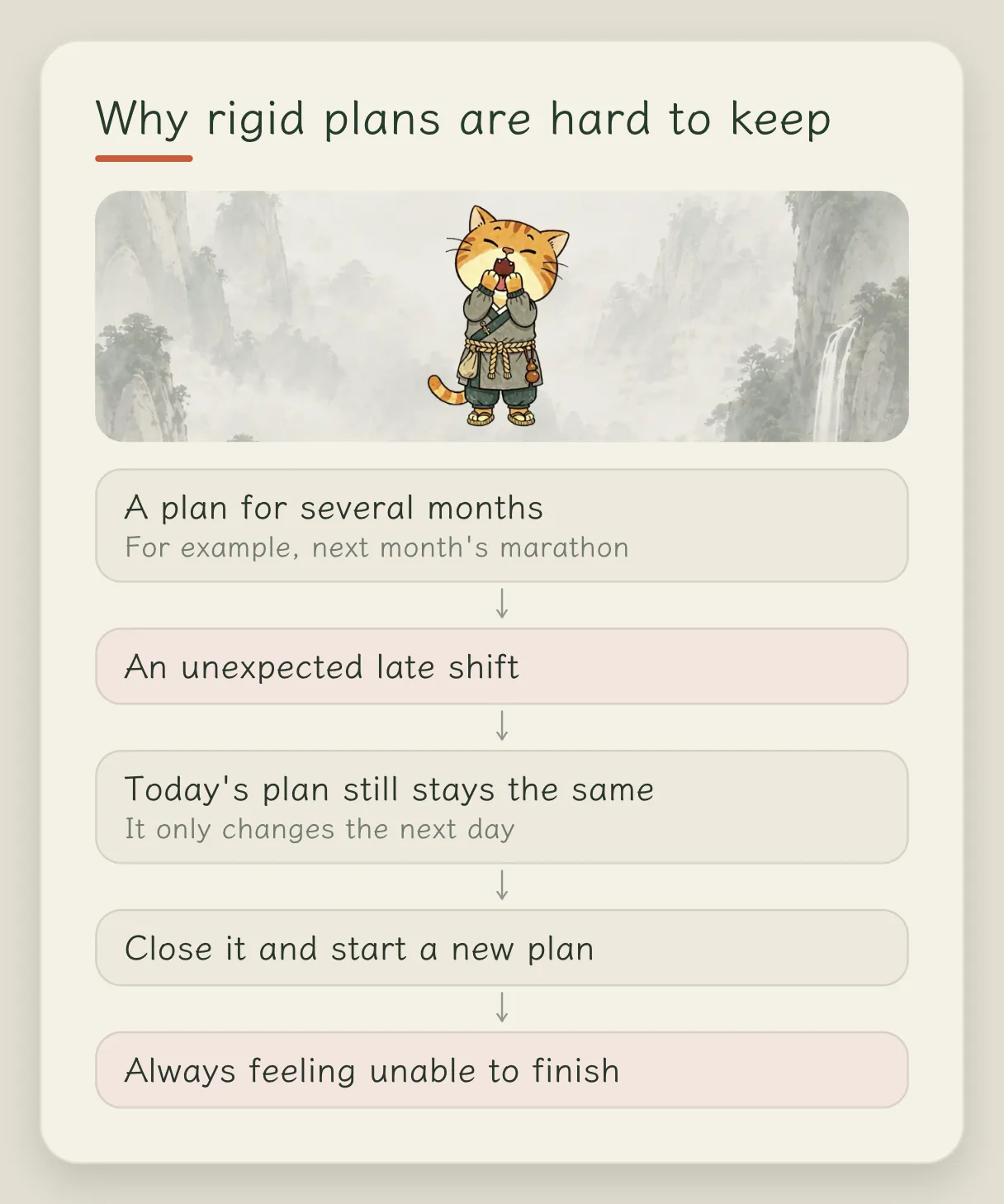
Here is an example. I am running a marathon next month, and the watch has laid out a plan several months long for me, with a check-in on schedule every day. Then for a stretch I suddenly have to work late into the night, and that day's plan stays exactly the same. I skip today, and only the next day does it adjust a little, which is far too late.
It felt inflexible to me, so I would turn it off and start a new plan. Over and over like that, you are forever stuck in a state of "can't finish the plan", and it feels awful.
Leave, coming back and check-ins
How are leave and the days someone doesn't come to practice handled?
Leave is something I worked out in some detail.
The first kind is your period. You can log it in the app, it tracks your cycle, and on those days it does not schedule high-intensity moves for you, especially running and jumping.
The second kind is ordinary leave, which is either automatic or semi-automatic. Automatic: say you stayed up late last night, and it asks you on its own whether you want to take leave. Semi-automatic: you feel today is too busy, or you just don't want to practice, and you request it yourself.
You can also fill it in afterward. When you review yesterday in the morning, write down why you didn't practice yesterday: too tired, injured, or something else. This goes into the attribution later on, and it either helps adjust your plan or makes the reminders a bit more insistent.
What happens when someone comes back after a long time away?
This part is being improved right now. The idea is to give a better restart: a comeback gift pack that temporarily gives you some extra cultivation.
The more central piece here is the downgrade. In many gamified fitness products, you once trained up to a high level and then stopped for a long time. When you come back your body has actually declined, but your character in the game is still up at that high level, and it keeps pushing high-intensity content at you as before. We will move you down a level and recommend low-intensity content first.
Besides fighting monsters, what else counts as a check-in?
The core one is battle: clear a stage and it counts. Lighter things count too: meditation, mindful breathing, or picking a few moves yourself and practicing them to a certain intensity and duration. There is also something like a "stand-in card": exercise from outside the app that is imported counts as well.
Still, I suggest that after it is imported you open the app and give some simple feedback. The app has no running feature right now. If you ran outside for 30 minutes, tell it after the import whether today felt tiring or easy. Combined with pace, heart rate and duration, that makes the later scheduling more accurate.
If I have already gone for a bike ride outside, does it still count in the app?
It counts. The app has a stage-by-stage path like Duolingo's, with recommended content every day. For example, if you rode your bike twice today, it can count you as having already completed today's stage. There is an intensity requirement, of course: riding for a minute or two does not count.
If I only take leave, with no exercise and no meditation, what happens to my streak?
It breaks. There is no way around that.
How a week is planned
What is the weekly practice plan based on?
A lot of things. In use it feels like a black box, and behind it is a Training Plan engine that keeps being iterated. You can open it from the top right corner of the Battle tab and see how this version arranges things.
At the very start it looks at your choices in onboarding: which areas you want to train, and which you don't want to touch and need to avoid. After that it looks at what exercise you did and the feedback you gave each time, and adjusts adaptively. All of this is on your device, optimized from your own records.
FAQ
How many leave days can I take in a week?
Every 7 days is one chapter, and you can take 2 leave days.
Do my runs and bike rides outside count?
Yes. Workouts from Apple Health count toward that day's chapter progress. Too little exercise does not count.
What happens when I come back after a long time without practicing?
The developer's idea is to give a comeback gift pack and automatically move you down a level, recommending low-intensity content first. Both are still planned and are not in App 1.6.
Is the training plan made by AI?
The plan uses the app's own rules and algorithms and is adjusted on your device based on your records. No large language model is connected.
Related articles


Done reading? Stand up for three minutes
Prop your iPhone up and follow the cat for a few moves. Free to download; the annual plan includes a 7-day free trial.